Message Publishers with Amazon SQS
Amazon Simple Queueing Service or Amazon SQS is a completely managed queueing service that you could use with Axinom Encoding as the message publisher. You can find guidelines for creating an Amazon SQS queue below.
To configure Amazon SQS as the message publisher:
-
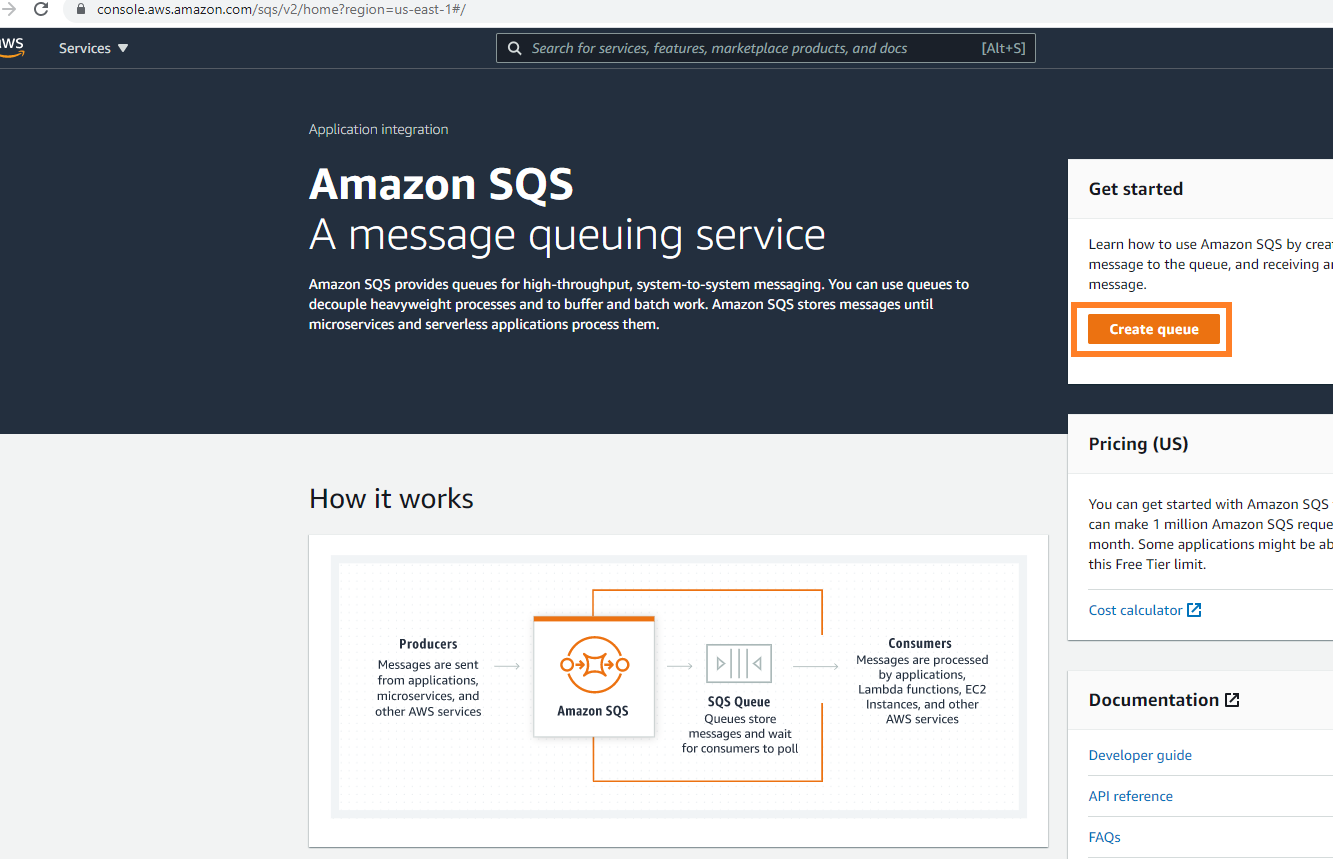
Open Amazon SQS console at https://console.aws.amazon.com/sqs. Click the Create queue on the right.
Amazon SQS console
-
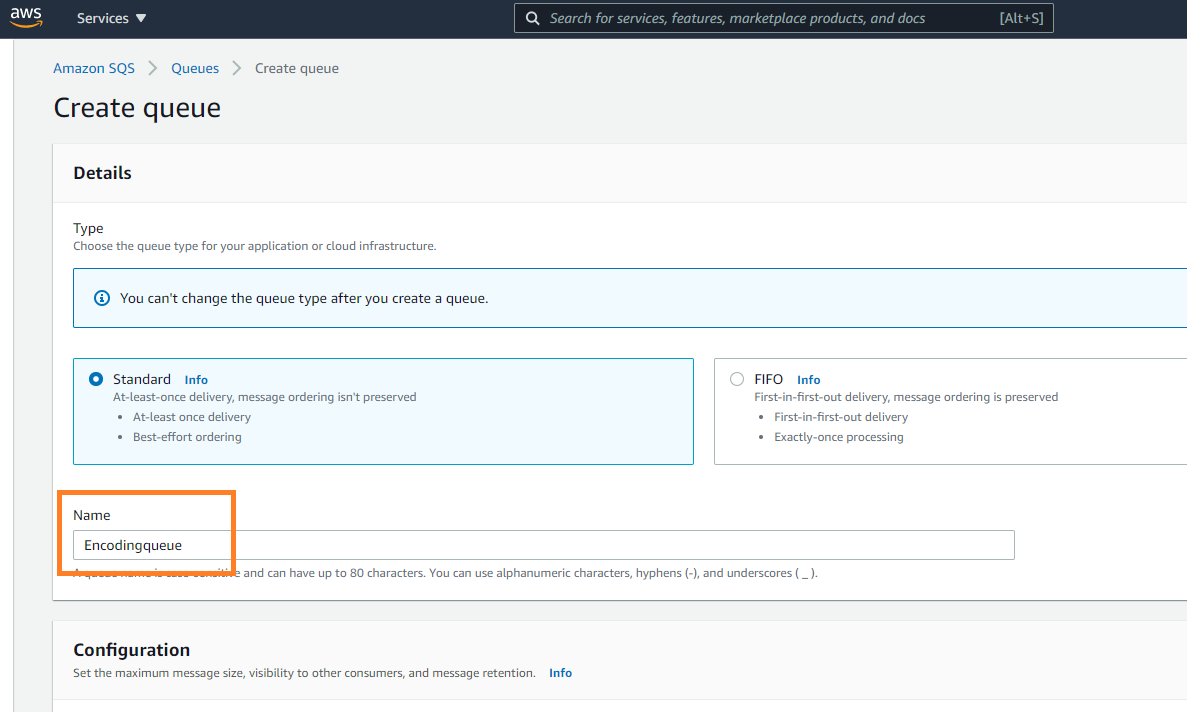
You are then taken to the create queue panel. Give a proper name to your queue. Note that the name is case-sensitive and should not exceed 80 characters. Configure the relevant settings and scroll down. Click the button at the bottom to create the queue.
Create a queue
 note
noteIf you choose the FIFO queue type, you also have to enable content-based deduplication. See FIFO Queues below.
-
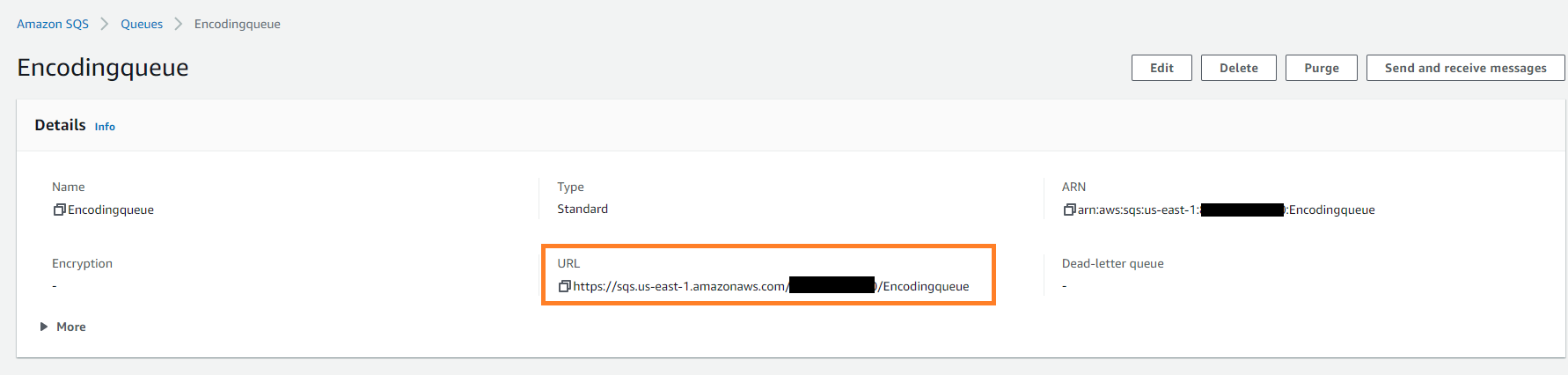
Once created, the queue details are displayed. From the details section, you can find the URL of the queue you just created.
Queue details
-
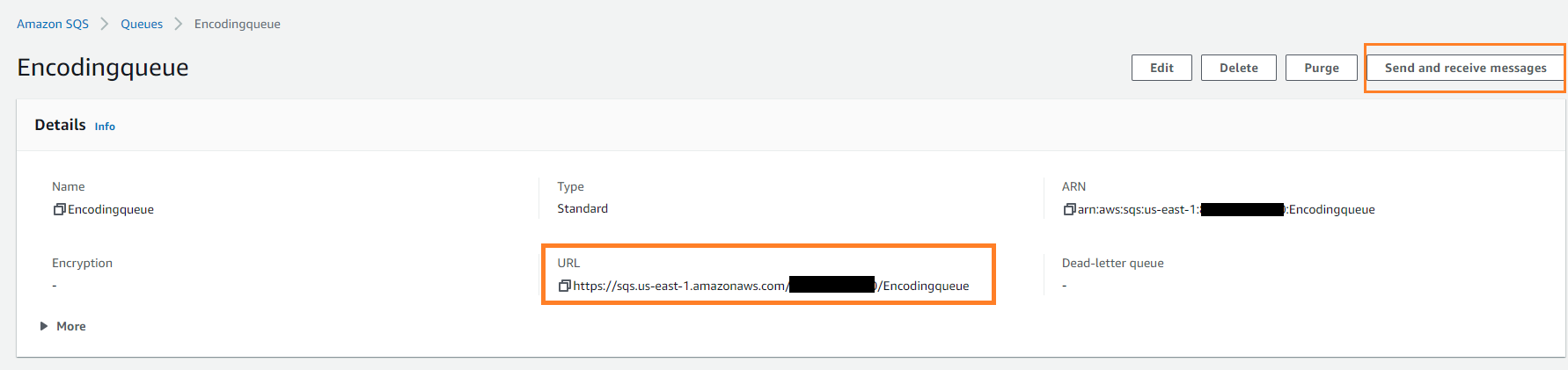
Use the Message Queue URL to run the encoding job. To see the incoming messages, go to "Send and receive messages" panel.
Send and receive messages
-
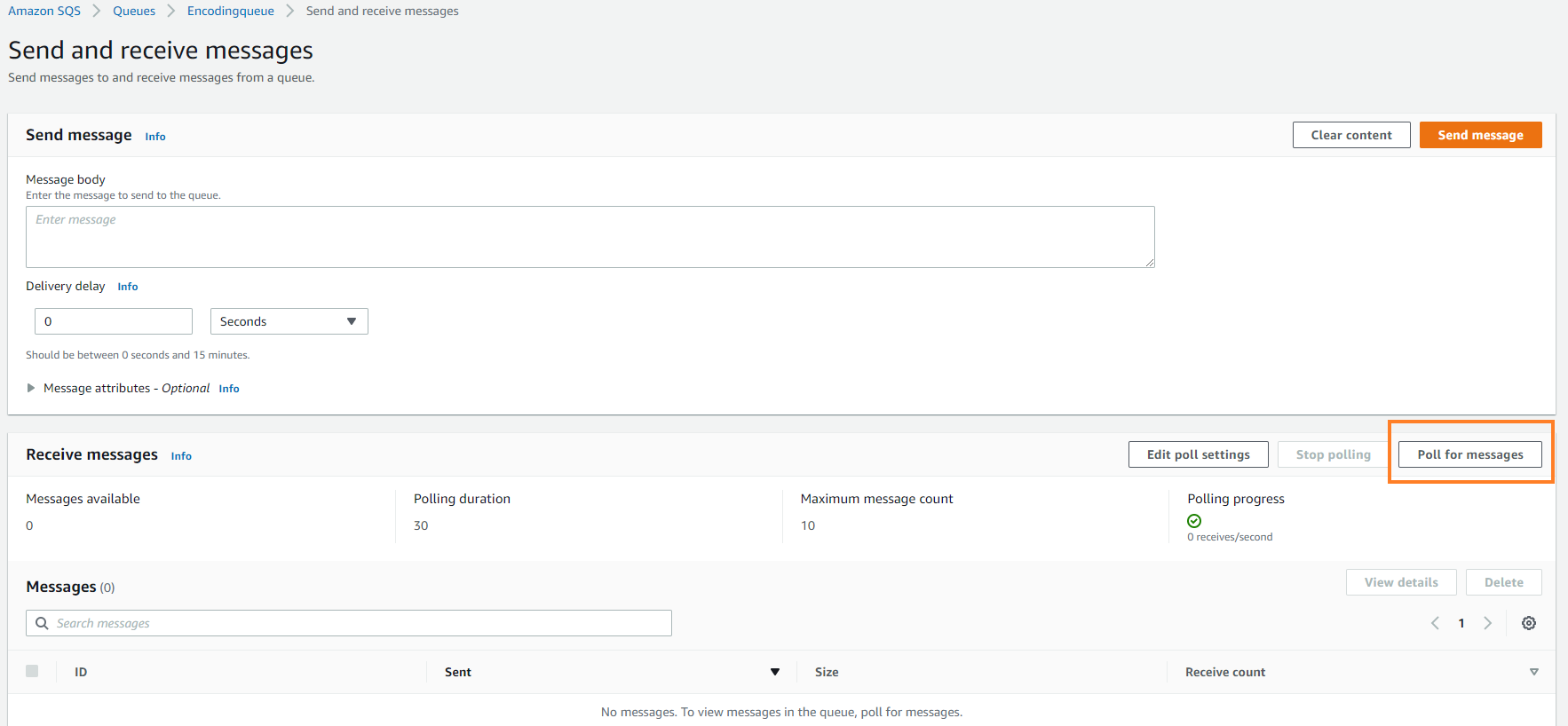
Under the Receive messages section, click Poll for messages to see the messages.
Poll for messages
-
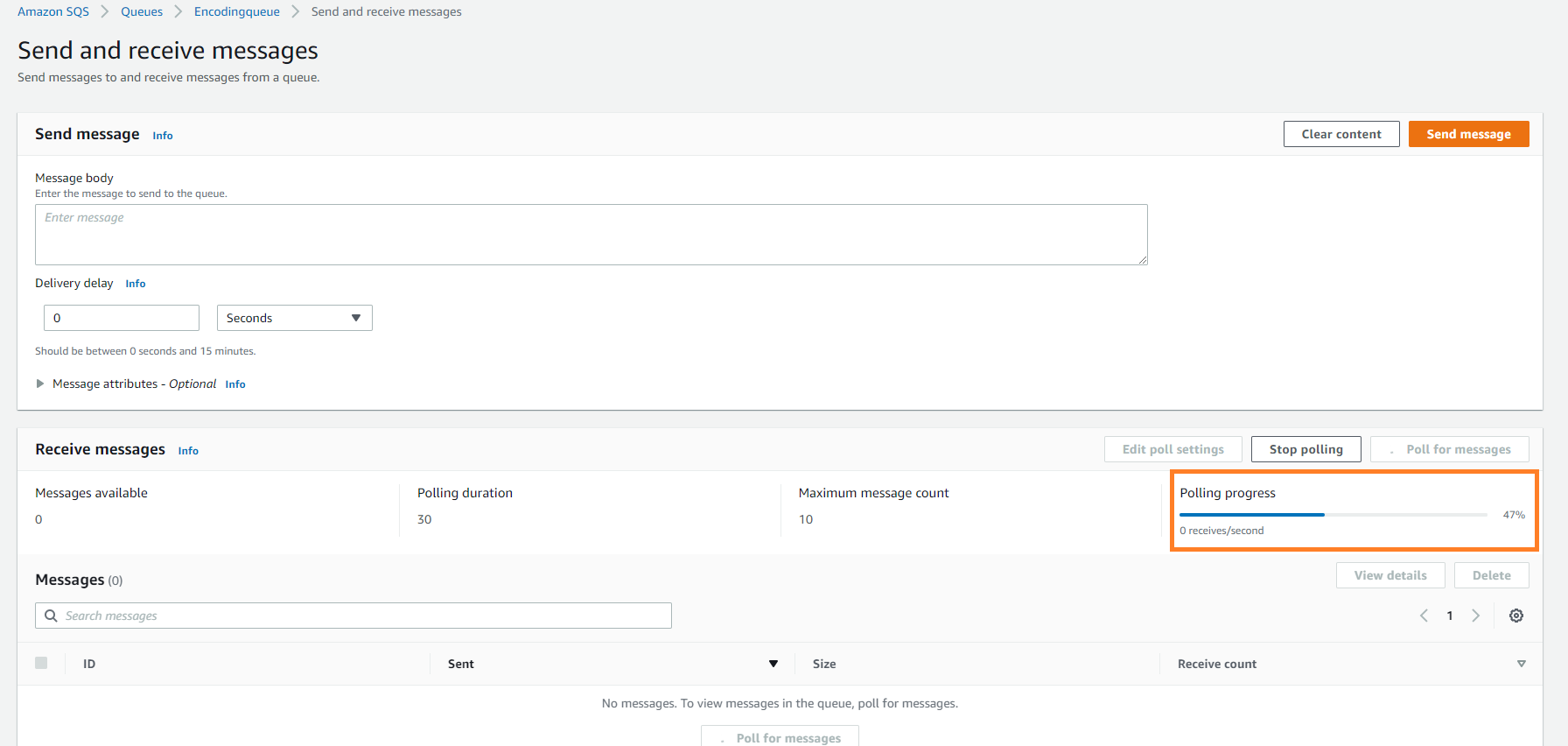
Once you click the button, polling starts.
polling messages
-
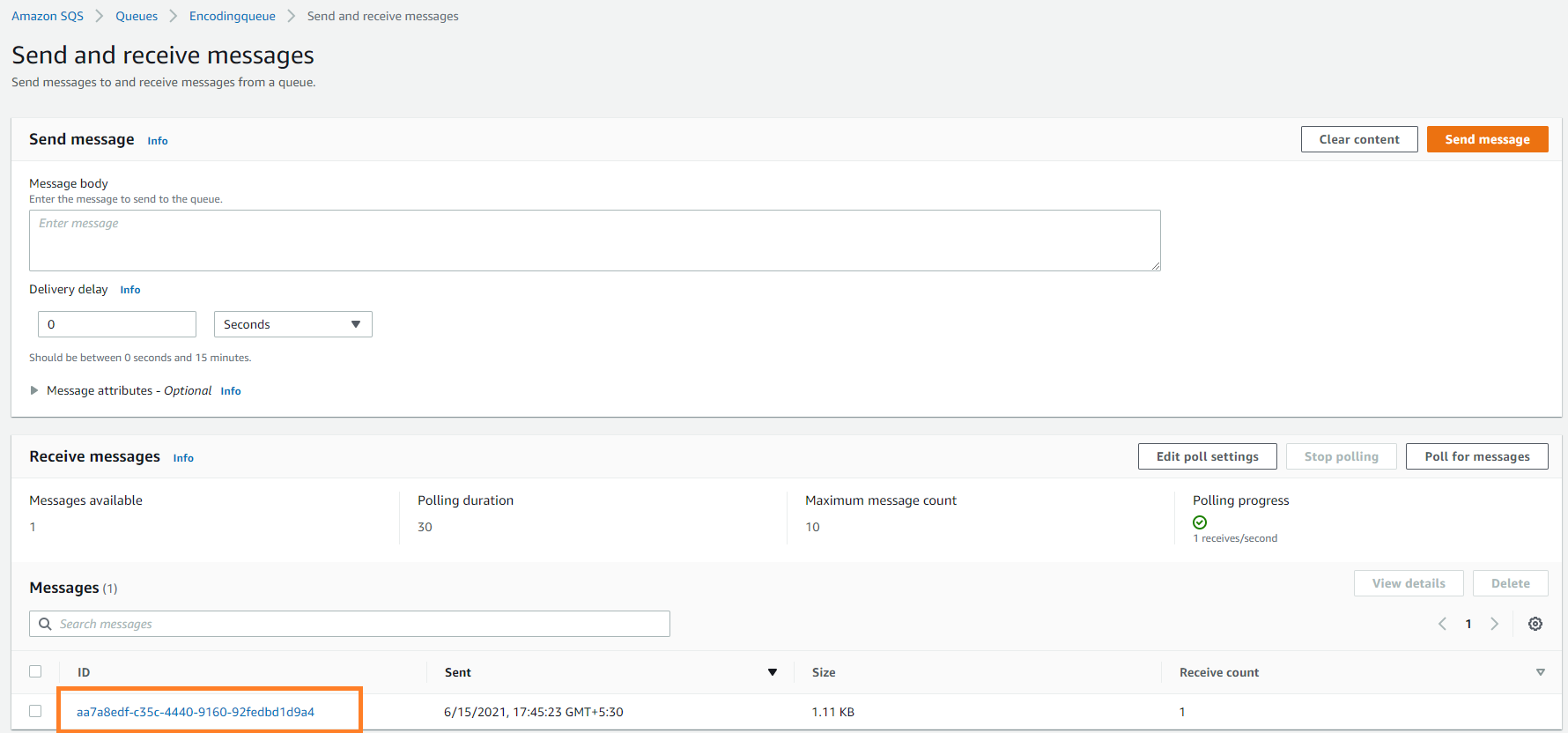
Next, you can see the list of messages in the Message list. You may have to poll time to time to receive the list of messages when there are a lot of messages.
noteIf the messages do not appear in the message box, check the queue URL you provided in the Message Publisher and compare the regions of your S3 bucket and the Queue.
Message list
-
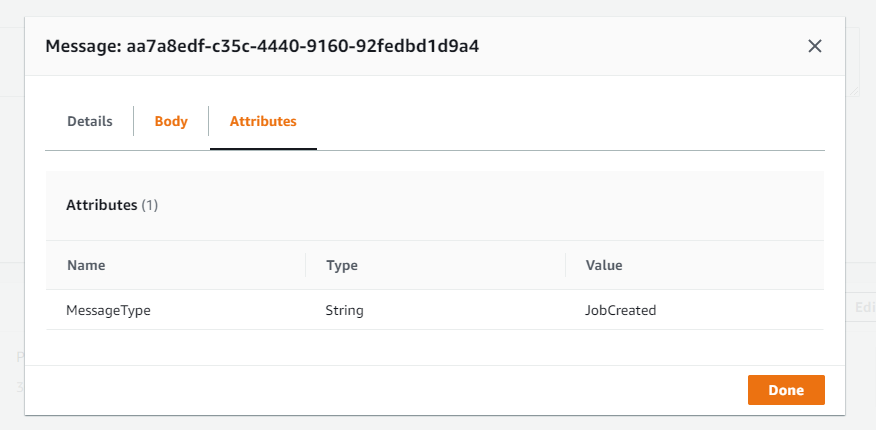
You can click a message and see the details of each message.
Message details
To get the CredentialsName and the CredentialsSecret, go to
"My security credentials" (https://console.aws.amazon.com/iam/home?region=us-east-2#/security_credentials).
Find the keys under "Access keys for CLI, SDK, & API access". Make sure you
select the correct region.
You can get more information about permissions to access an Amazon SQS queue from the following link. https://aws.amazon.com/premiumsupport/knowledge-center/sqs-queue-access-permissions/
We recommend you to use credentials protection with the CredentialsProtection property.
For instance, in the connection string you are using for Amazon SQS,
you need to use credentials protection for CredentialsSecret.
FIFO Queues
Amazon SQS offers two queue types: standard queues and FIFO queues.
A FIFO queue's name always ends with .fifo.
Amazon SQS requires a deduplication identifier for every message sent to a FIFO queue. Axinom Encoding relies on the queue to derive this identifier from the message content, so you have to enable content-based deduplication on the queue. This setting is disabled by default. While it is disabled, Amazon SQS rejects every event that Axinom Encoding sends and returns the following error:
The queue should either have ContentBasedDeduplication enabled or MessageDeduplicationId provided explicitly
Standard queues have no deduplication requirement, so if you use one, no additional configuration is needed.
Enabling Content-Based Deduplication
You can enable the setting while creating the queue or afterwards (but before submitting an encoding job, otherwise it won't receive any messages from our service).
To enable it in the Amazon SQS console:
- Open the Amazon SQS console at https://console.aws.amazon.com/sqs and select your queue.
- Click Edit.
- In the Configuration section, enable Content-based deduplication.
- Scroll down and click Save.
To enable it with the AWS CLI, replace the placeholders with your own values and run:
aws sqs set-queue-attributes \
  --queue-url https://sqs.<region>.amazonaws.com/<your_account-id>/<your_queue-name>.fifo \
  --attributes ContentBasedDeduplication=true \
  --region <region>